Optimizing Document Editing
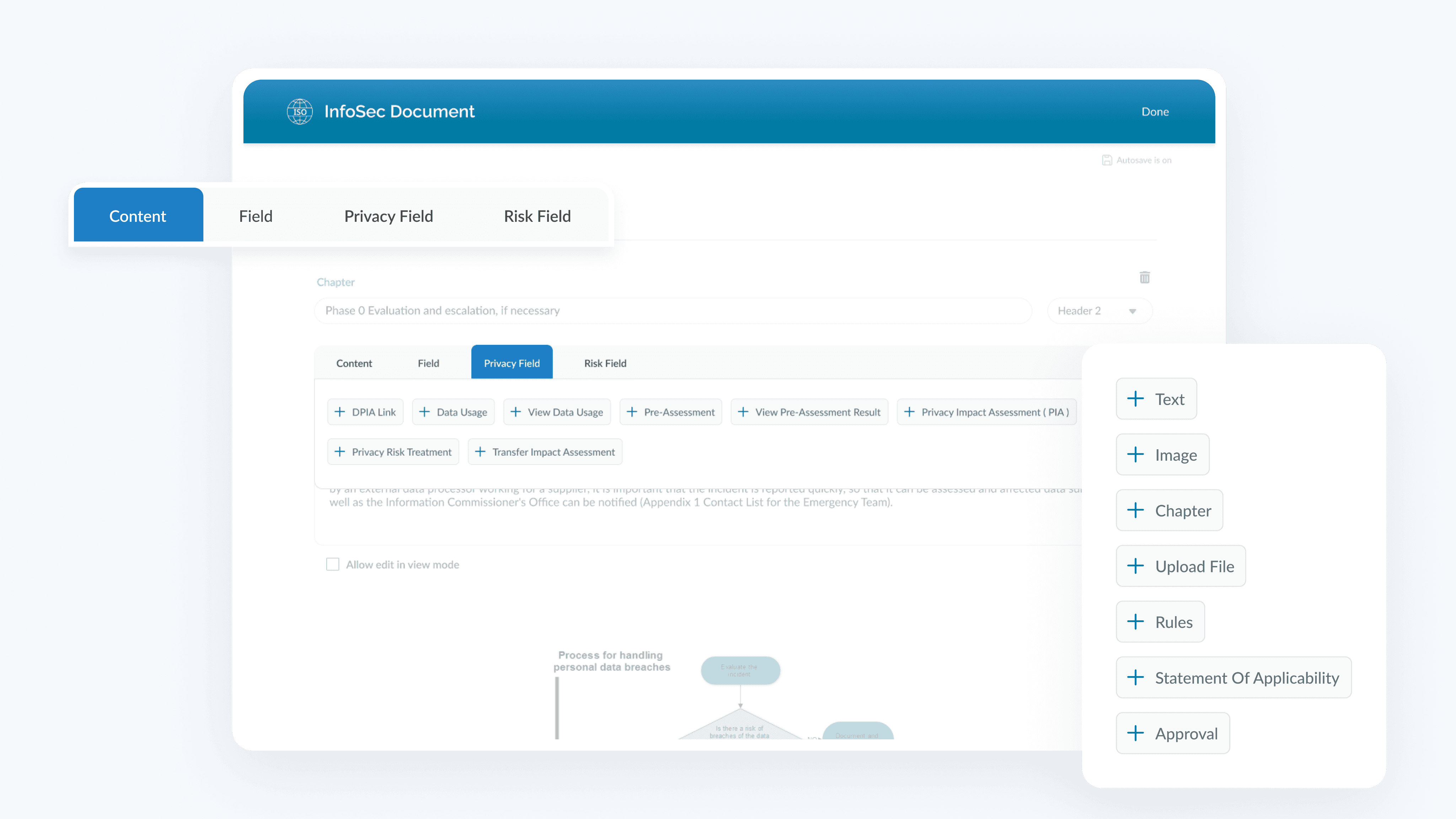
Redesigning the Document Editing Process in NeupartOne’s GDPR Compliance Tool, improving the product's features and user experience.
Role
UX/UI Designer
Client
NeuportOne
Duration
1 month
Overview
NeupartOne is an all-in-one tool that helps organizations manage compliance with features like risk management, task automation, and 50+ ready-made templates for ISO 27001/2 and GDPR. Our redesign focused on making the document editing process easier and more efficient, so users can update and track compliance documents smoothly and respond quickly to audits and new regulations.
My role
In this project, as a member of the UX team, I was responsible for producing all major deliverables throughout the project. Working alongside a senior UX designer, I was involved in every step of the redesign process. I played a central role in reshaping the document editing experience, ensuring it aligned with user needs and business goals.
The Design Process
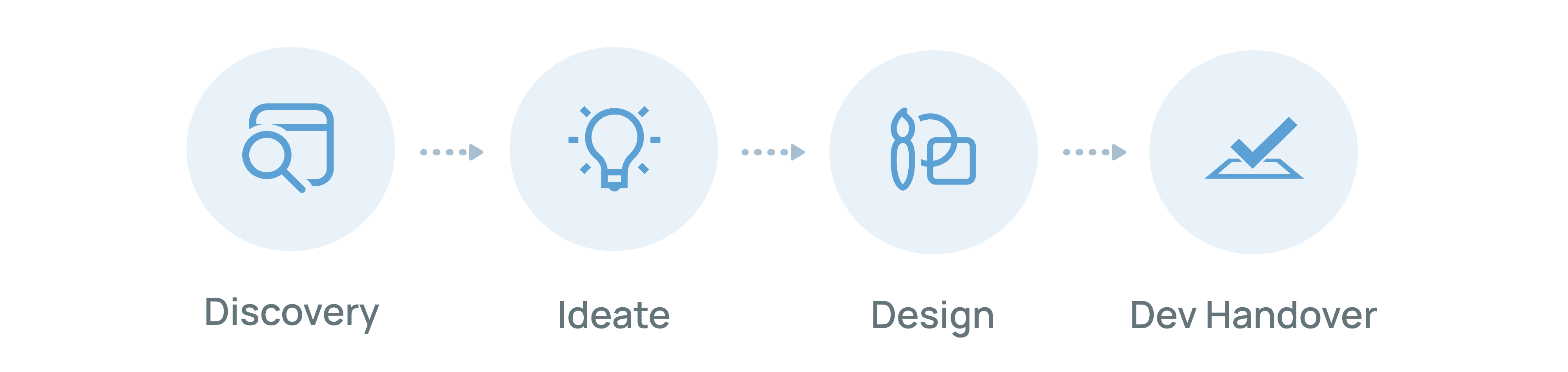
In the discovery phase we focused on testing the existing software ourselves so that we can build empathy with the users and identify pain points. Next, we started ideating possible solutions and created three different designs that we presented to the client. Based on their feedback, we managed to create the final solution and apply UI elements to it. In the end, as part of the developer handoff, we prepared a style guide and notes to make it easier for the development team to implement the changes.
Testing the Existing Software
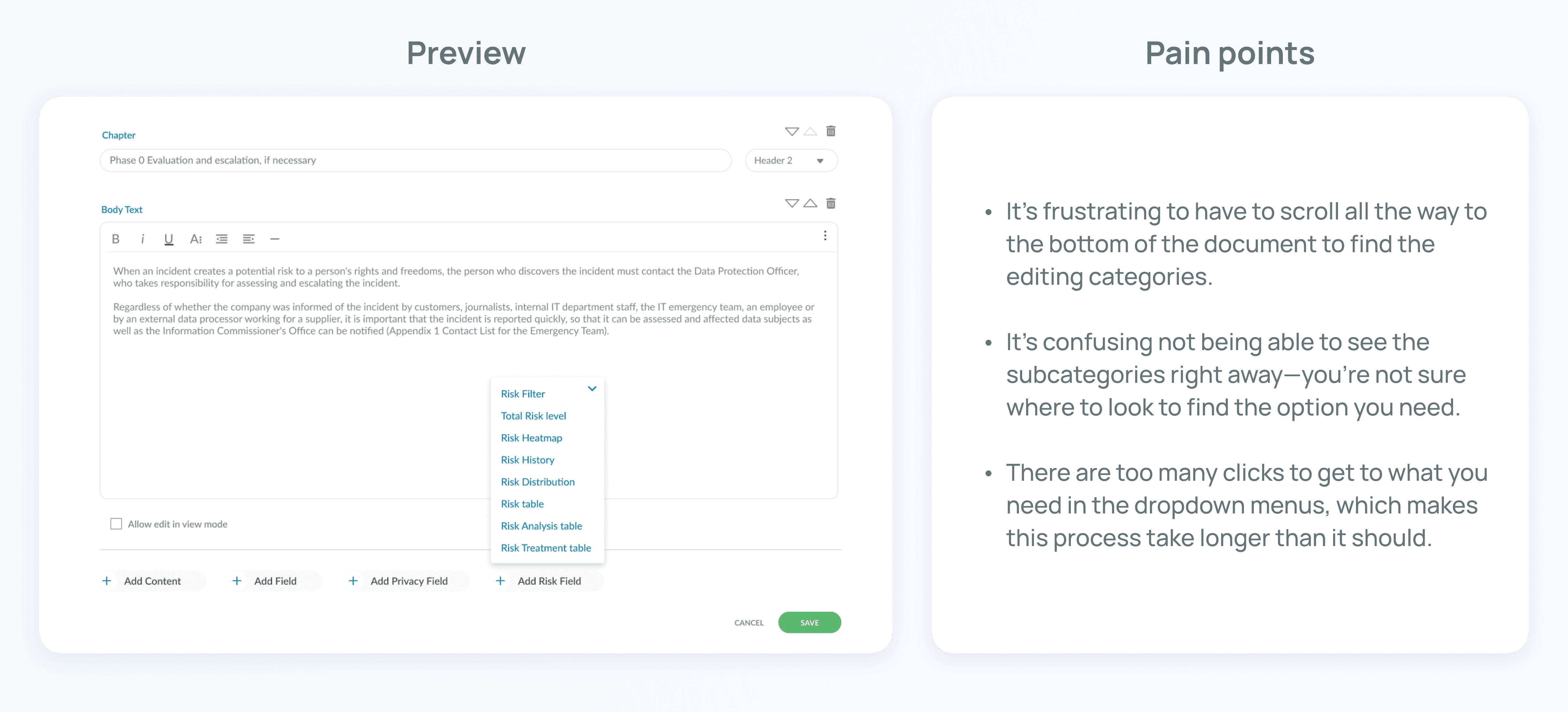
Before diving into redesigning the document editing process, our team first tested NeupartOne ourselves. This hands-on approach helped us understand the tool’s current workflow and identify key pain points users might face.
Creating the User Journey Map
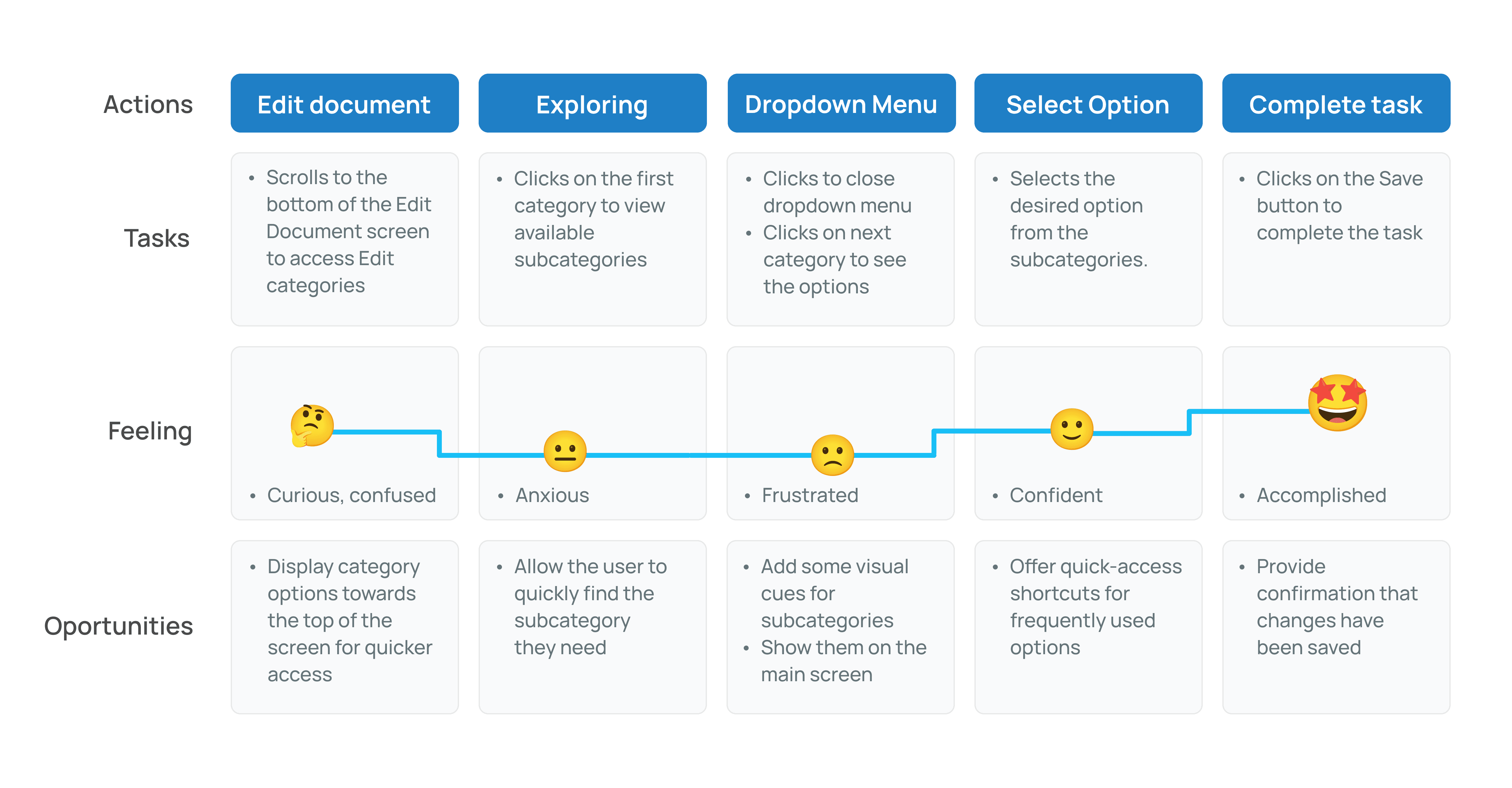
Next, I mapped out the existing journey for editing documents to pin point opportunities for improvement. This step was crucial in understanding where users experienced friction and where we could introduce improvements.
User Flow
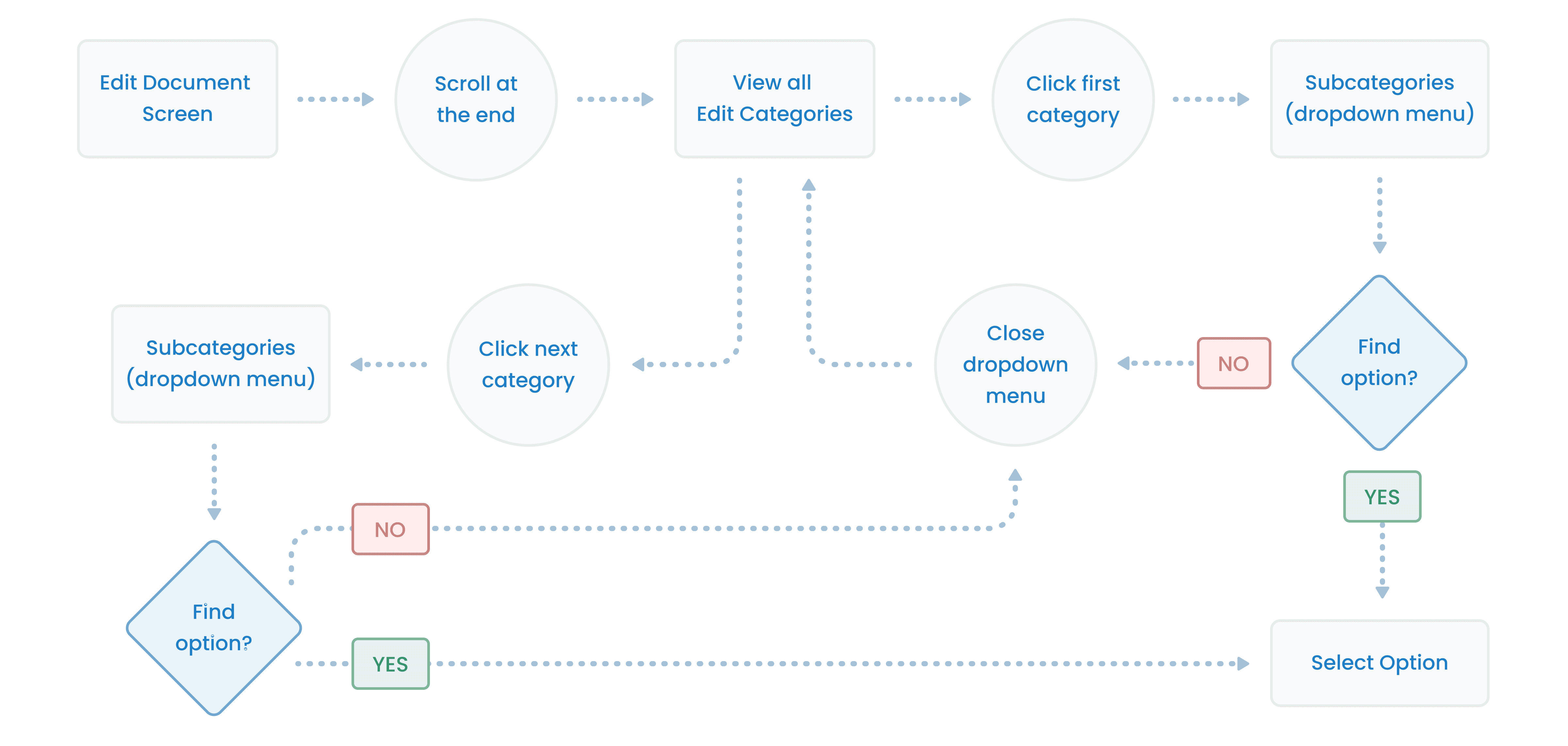
I reviewed the existing user flow as well to identify areas for improvement. This helped us brainstorm solutions and prioritize the most important information.
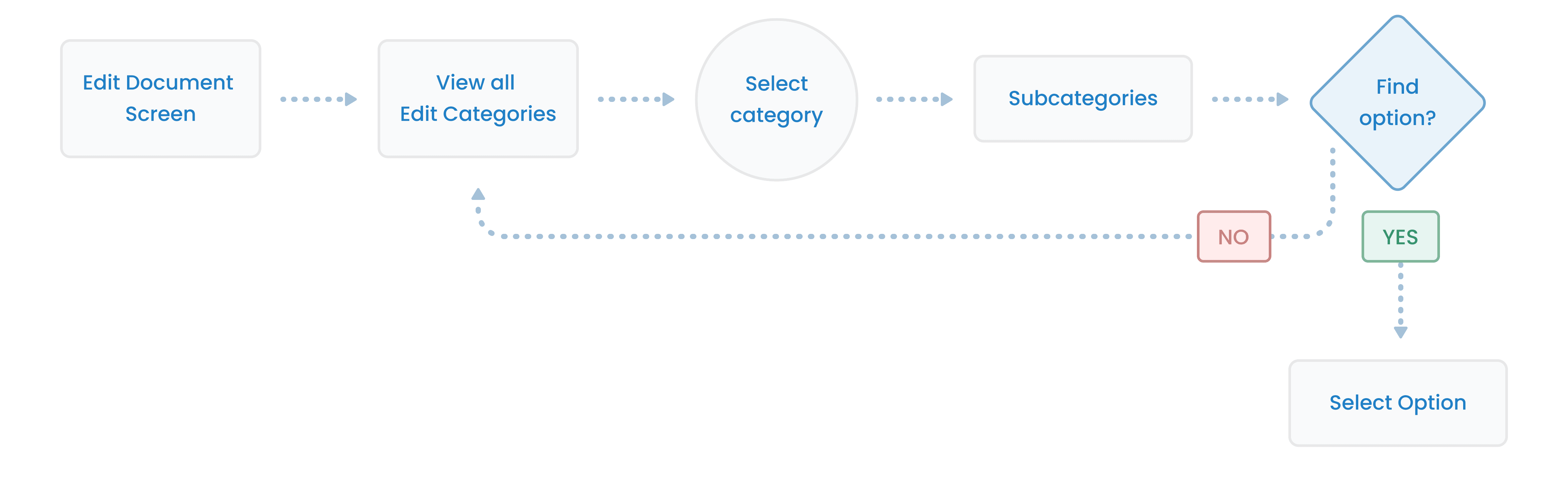
From the data I collected, I created a new, more streamlined user flow for the document editing process. This new flow served as the foundation for our redesign.
The goal of the new user flow was to:
• Reduce unnecessary steps
• Provide more intuitive navigation
• Ensure that users could accomplish their tasks with fewer clicks and less confusion.
Creating Low-Fidelity Wireframes
With the new user flow in place, We began designing low-fidelity wireframes to visualize how the new editing process would look and function. These wireframes focused on layout, structure, and basic interactions, allowing us to explore different design ideas without getting caught up in visual details. This phase helped us test the overall concept and ensure that the new flow addressed user needs.
We explored three different solutions that were presented to the client:
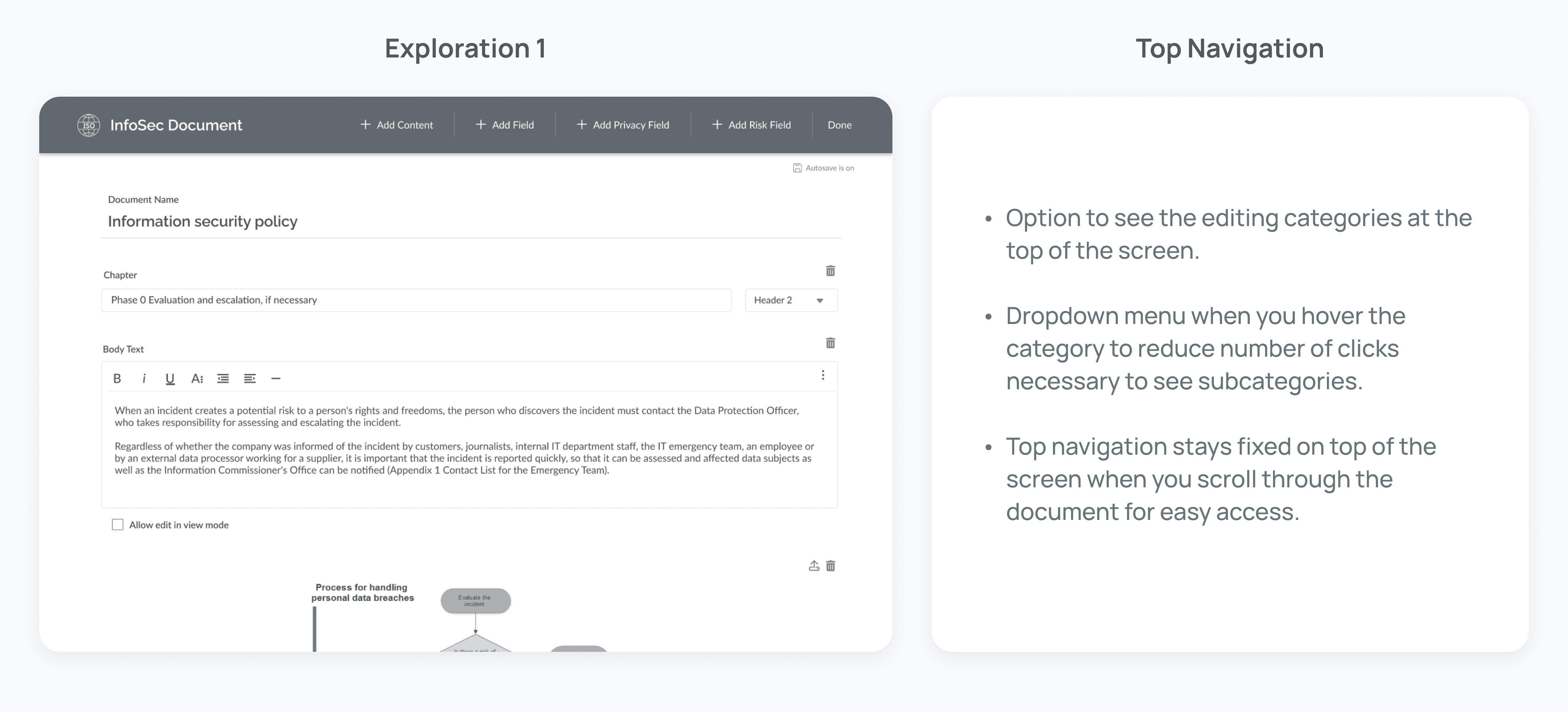
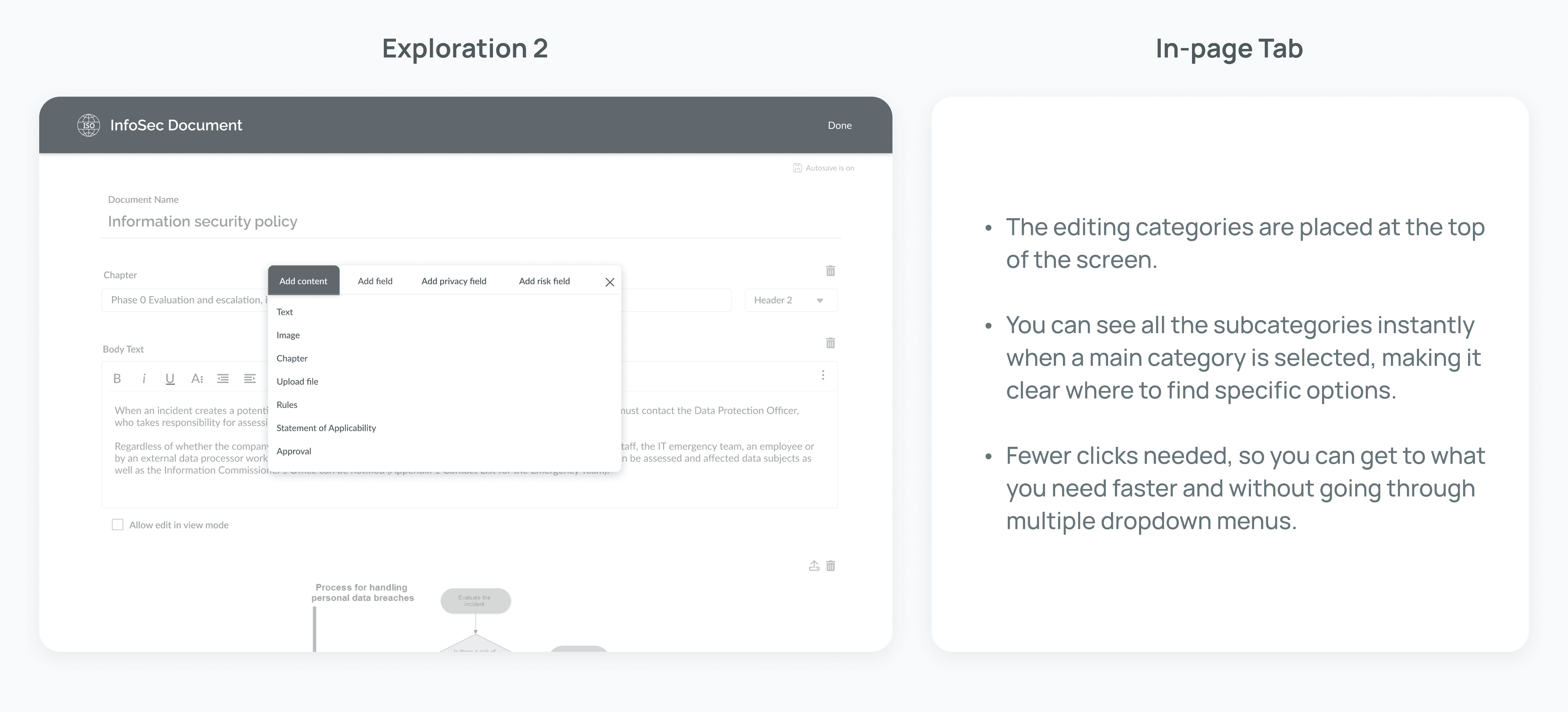
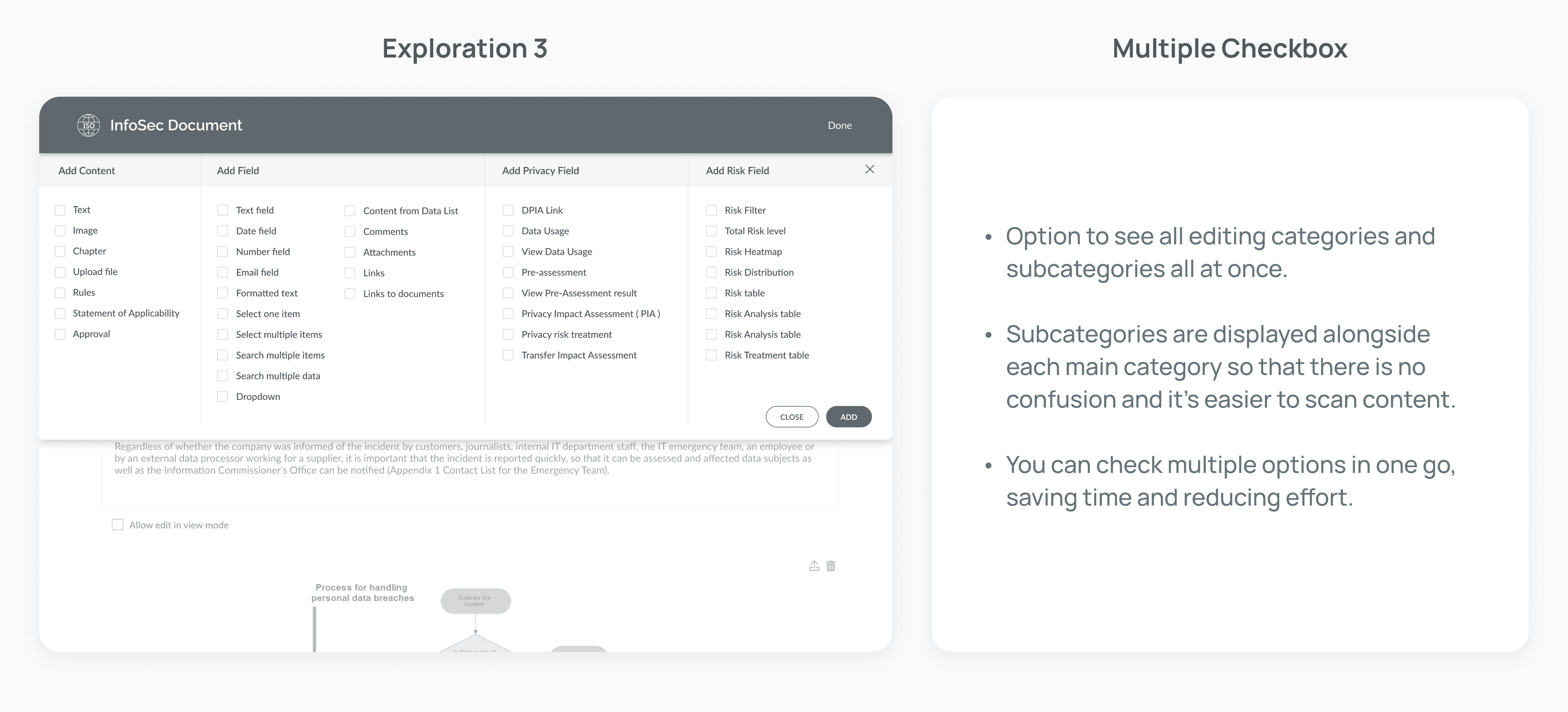
Receiving Client Feedback
Once the low-fidelity wireframes were ready, we presented them to the client for feedback. The client was responsive and gave detailed feedback on what they would like included in our design. Their input was valuable in refining our initial concepts, as they provided insights into specific challenges they faced and highlighted areas where the new design could be further improved.
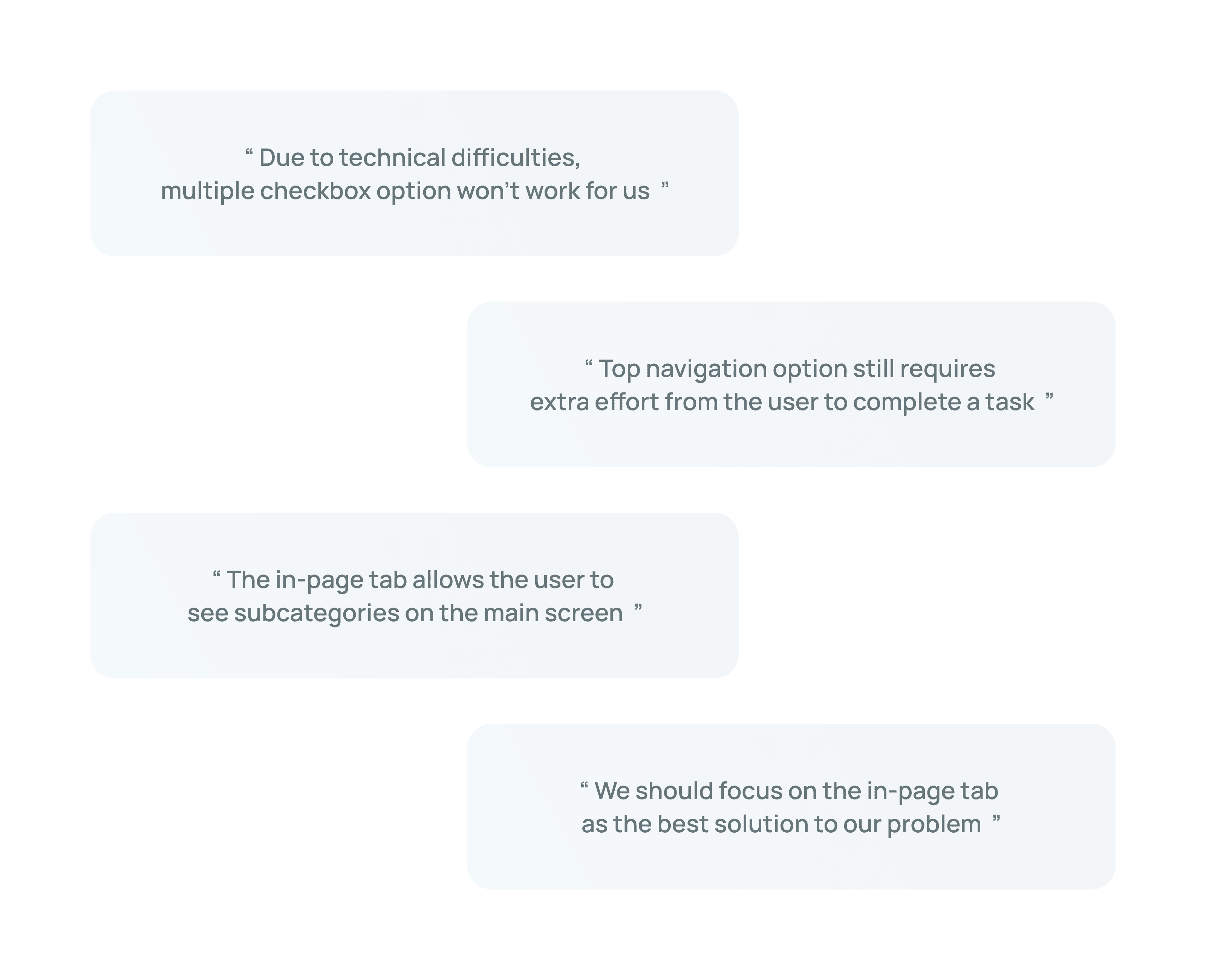
Implementing New UI Elements
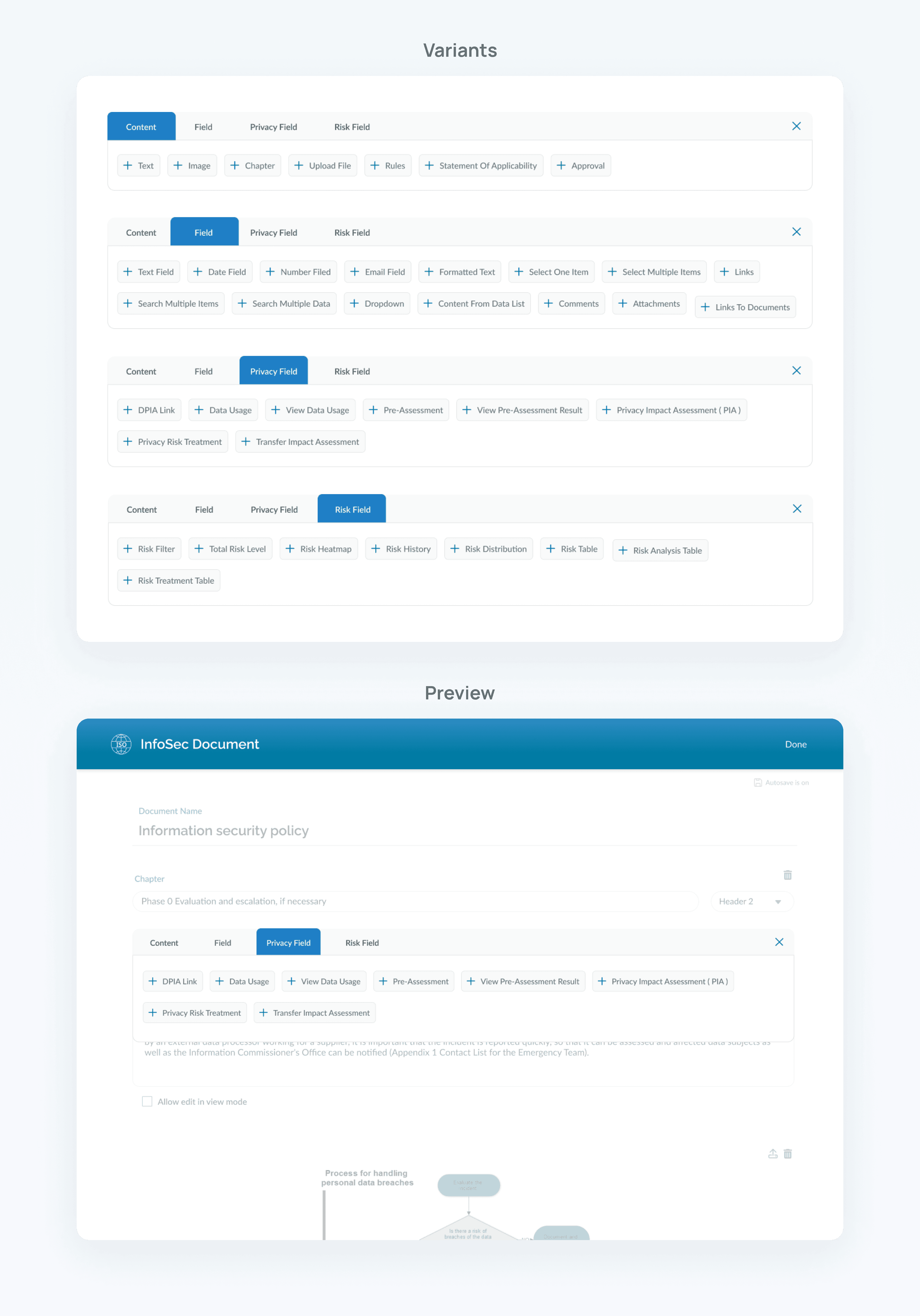
After gathering feedback, we iterated on the wireframes and worked on fine-tuning the flow. With the refined design in place, we began implementing new UI elements to improve the overall user experience. The goal was to create a modern, visually appealing interface that felt intuitive for both experienced and novice users.
Developer Handoff
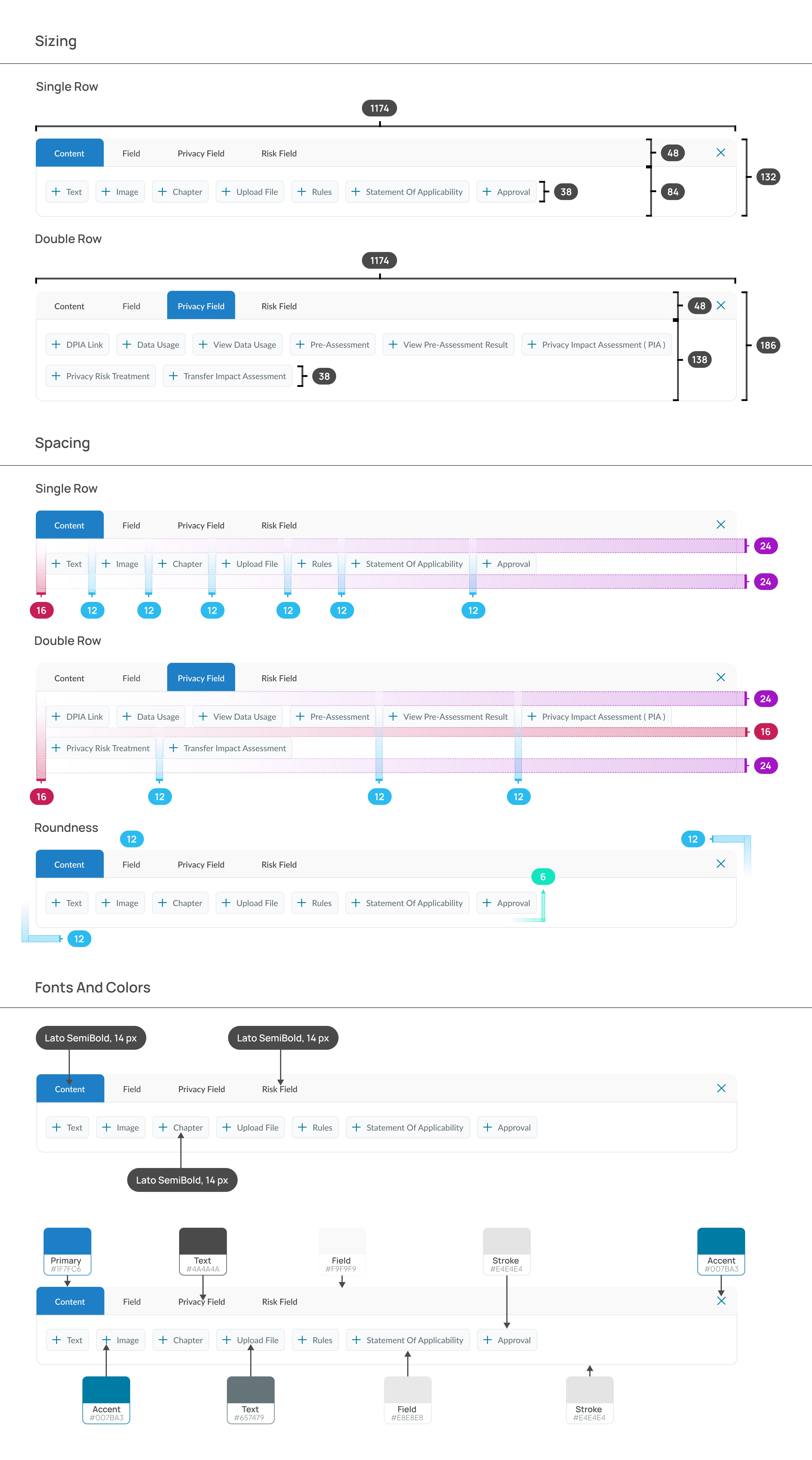
The last step in the project was to prepare detailed specifications for the development team. This document outlined the new user flow, interaction details, and UI components, ensuring the developers had all the information they needed to start building the redesigned document editing process. Clear communication at this stage was essential to ensure a smooth transition from design to development.
Results and Takeaways
The redesign of NeupartOne's document editing process was a remarkable success. The client was thrilled with our work and appreciated the innovative approach we brought to solving their challenge.
Key Result: As a direct result of the redesign, the average time it takes to complete the editing task significantly decreased improving user efficiency. Additionally, all key goals of the project were achieved, ensuring a smoother, more intuitive experience for users.
Key Takeaway: This project highlighted the value of approaching problems with a beginner’s mindset. By staying open to fresh perspectives and thinking outside the box, we were able to deliver a creative, effective solution that exceeded expectations.